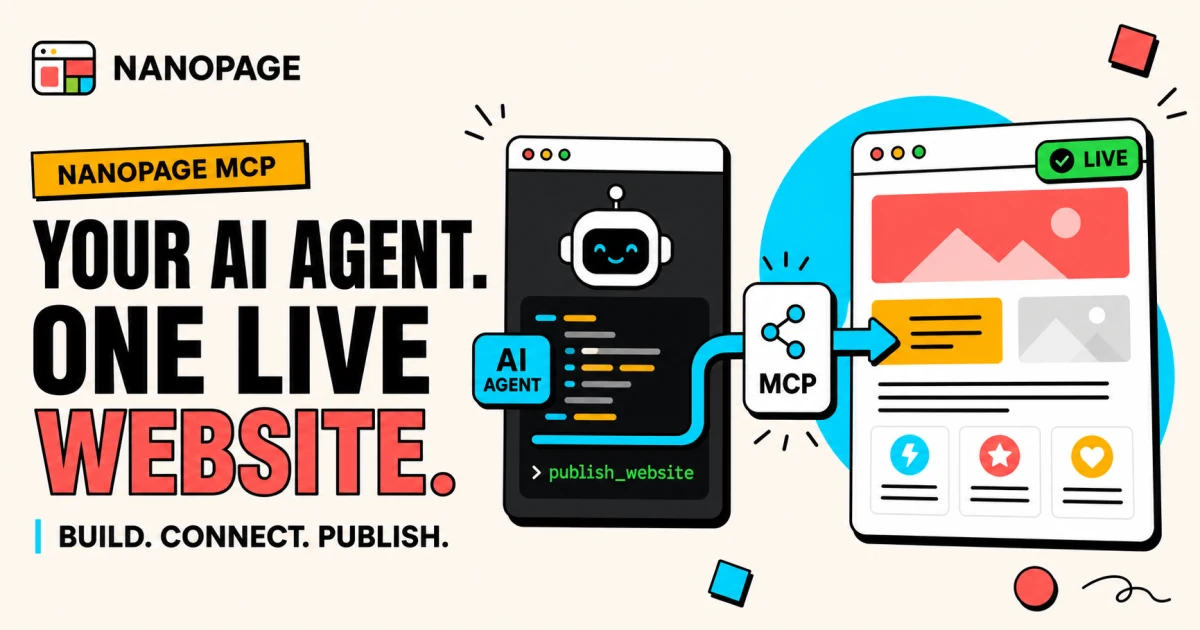
Nanopage can now connect directly to AI coding agents through MCP.
That means you can ask Claude Code, Claude Desktop, Cursor, or Codex to build a website and publish it to Nanopage without leaving the conversation to configure hosting, upload files, or run a separate deployment workflow.
Your agent writes the site. Nanopage gives it a live home.
What MCP changes
MCP stands for Model Context Protocol. It is a standard way for an AI client to discover and use tools provided by another service.
Before this integration, a coding agent could generate a website, but publishing was a separate job. You still needed to choose a host, move the files, configure a deployment, and keep track of later versions.
With the Nanopage MCP server connected, the agent can do that work through the same conversation. It can check whether a URL slug is available, publish a new site, inspect the websites already in your account, and ship a new version of an existing one.
The result is a real public URL such as https://your-site.nanopage.site, live as soon as the publish call finishes.
Bring your own generation
The MCP path works differently from the regular Nanopage builder.
In the browser, Nanopage generates the site for you. Through MCP, your coding agent generates the HTML, CSS, JavaScript, images, and other files using its own model and tokens. Nanopage does not run a second AI generation behind the scenes.
Nanopage handles the part that should be infrastructure:
- Validate the finished site bundle.
- Reserve its Nanopage subdomain.
- Store and serve the files.
- Keep each publish as a version.
- Make the selected version live immediately.
This is useful when you already work inside an AI coding tool and want to keep the whole build loop there. The agent has the project context, you steer the design and content, and Nanopage becomes the publishing layer it can call directly.
From prompt to public URL
The workflow is short:
- Open the Nanopage MCP setup page, create a personal access token, and add the provided configuration to your AI client.
- Ask the agent to read the Nanopage authoring guide exposed through MCP.
- Describe the website you want, or point the agent at the material in your project.
- Ask it to publish the result to Nanopage.
- Keep iterating. Each later publish becomes a new version of the same website.
A request can be as direct as:
Build a responsive one-page website for this project using the copy and
images in this folder. Then publish it to Nanopage as "Field Notes".
The exact configuration differs slightly between clients, so the setup page includes copy-ready instructions for Claude Code, Claude Desktop, Cursor, and Codex.
A hosting contract the agent can understand
Nanopage hosts self-contained static websites. The MCP server exposes an authoring guide that tells the agent which file paths are supported, how to send binary assets, and what size limits apply.
Every publish is validated. Remotely loaded assets, embedded pages, service workers, unsafe URL patterns, and files outside the supported bundle structure are rejected with machine-readable errors. The agent can read those errors, correct the bundle, and try again.
That validation is important. It turns hosting requirements into a contract the coding agent can act on instead of a deployment checklist you have to debug yourself.
What the agent can do today
The first MCP release is deliberately focused. An agent can:
- Publish a new website.
- Publish a new version of an existing website.
- List and inspect your websites and their versions.
- Read files from stored versions.
- Check a slug and get an available suggestion.
- Check the status of a publish job.
Destructive actions such as deleting a website are not exposed through MCP. Token management also stays in the signed-in Nanopage interface, where you can see when a token was last used and revoke it at any time.
One product, two ways to build
The existing Nanopage experience is not going away. If you want to describe a site, upload a PDF or some photos, and let Nanopage generate it, the browser builder remains the fastest path.
If you already use an AI coding agent and want more control over the files it creates, MCP gives that agent a direct route to the same Nanopage hosting, website dashboard, and version history.
The difference is simply who generates the site. Nanopage can build it for you, or your agent can bring the finished bundle. Either way, the outcome is the same: a focused website on a real URL, without turning deployment into its own project.
Connect your AI coding agent to Nanopage and publish your first site.