Plenty of businesses have a website that works and looks ten years old at the same time.
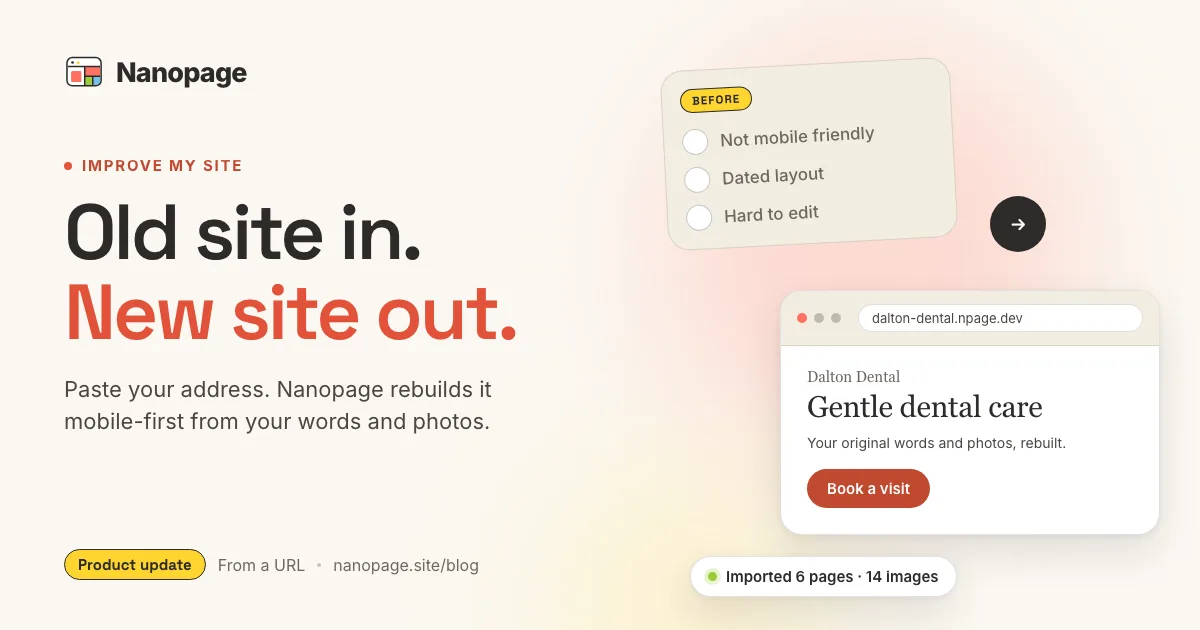
The phone number is right. The services are right. The photos are real. But the layout was designed for a desktop monitor, the text is tiny on a phone, and changing a single opening hour means emailing the person who built it. If that person has moved on, even a small fix turns into a project.
Nanopage now has a direct answer for this. It is called Improve my site.
Paste the address of your current website. Nanopage reads the public pages, keeps the words, links, and real images, and builds a new, mobile-first version of the site. You review it, ask for changes in plain language, and publish. The last step is pointing your domain at the new site.
Try it with your own website. The build and preview are free.
Who this is for
Improve my site is for the website that is working fine but has fallen behind:
- The design is dated. It was built for wide screens, uses small text, and looks nothing like the business today.
- It is hard to update. Every change goes through a developer or an agency, and every change costs time and money.
- The original builder is gone. The freelancer changed careers, the agency closed, or the login was lost with a former employee.
- Mobile is an afterthought. Most visitors arrive on a phone and get a shrunken desktop page.
- Hosting is a line item. You pay for a server, a theme, a page builder plugin, and a maintenance plan for a site that rarely changes.
If you recognize two or three of those, this feature was built for you.
How it works
Open Start a site and choose Improve my site instead of New site.
1. Paste your current address. Type the domain, for example yourcompany.com. Nanopage fetches the homepage and the main pages linked from it on the same domain, converts each one to clean text, and downloads the real photos it finds. Only publicly reachable pages are imported, so use a site you own or manage.
2. Add anything you want changed. This step is optional. A short note works well: "Keep the same services, make the phone number prominent, and give it a warmer, more trustworthy feel." Leave it blank and Nanopage still knows the job is a redesign, not a copy.
3. Let Nanopage design the improved version. The imported text and images are the source of truth. Nanopage keeps your company facts, brand details, services, contact information, and useful links, and rebuilds everything else: hierarchy, readability, navigation, accessibility, responsiveness, and calls to action. It does not reproduce the old layout or its dated visual choices.
4. Review and refine. You get a full preview of the new site. Ask for changes the same way you would brief a designer: "Move testimonials above the pricing table," "Use the team photo in the hero," "Add a booking button to the header." Each request creates a new version, and you can go back to any earlier one.
5. Publish and move your domain. When the new site is right, publish it and point your domain at Nanopage. Your address stays the same. Visitors simply see the new site.
Nanopage tells you how many pages and images it imported, so you know what it worked from before the design starts.
What you keep and what changes
The point of a redesign is to keep the substance and replace the presentation.
You keep:
- Your words. Service descriptions, the about page, opening hours, and the copy you have refined over years.
- Your images. Team photos, product shots, project galleries, and the storefront picture.
- Your facts. Phone numbers, address, email, and links to booking tools, social profiles, and directories.
- Your domain. Nothing about your address changes.
What changes:
- A layout designed for phones first, then tablets and desktops.
- Readable type sizes, clear section hierarchy, and consistent spacing.
- Navigation that fits on a small screen and still works with a keyboard or screen reader.
- Calls to action people can actually find: tap-to-call, directions, booking, and contact.
- Modern hosting with HTTPS, a fast global network, and no plugins to patch.
If the import misses something, add it as a note before the build or as a change request afterward. Nanopage cannot see pages behind a login or content that only appears after scripts run, so a menu that lives inside a PDF is worth uploading as a file, and a logo that only exists as an SVG on the old site is worth attaching as a PNG.
Why the benefits add up
Each improvement is useful on its own. Together they change how you relate to your website.
You stop paying for the old stack. Most outdated sites sit on hosting plans, theme licenses, page builder subscriptions, and maintenance retainers that were reasonable years ago. A Nanopage site starts at $19 per year with hosting, HTTPS, and a set of AI changes included. See what a small business website costs in 2026 for the full comparison.
You are in control of updates. New price, new opening hours, a new team member, a seasonal notice. Describe the change and Nanopage makes it. There is no ticket queue and no developer to chase. Update your website by just asking explains how these edits work.
Repeating content gets its own workspace. If the site has a menu, listings, events, or news, ask Nanopage to make them editable and manage the entries as structured fields in the built-in CMS. No AI request needed for routine entries.
Mobile stops being a compromise. Nanopage builds mobile-first, so the version most of your visitors see is the one that was designed first.
You see how the site performs. Built-in analytics show visits, top pages, and referrers without adding a tracking tool.
Search engines and AI assistants can read it. A clean structure, real headings, and a proper sitemap help both. See how to make a small business website easy for AI assistants.
Moving your domain
This is the part that sounds hardest and is usually the fastest.
Your domain is a name you rent from a registrar. It points at whichever server hosts your site. To move to Nanopage you change one DNS record at the registrar and click Verify in your Nanopage dashboard. Nanopage issues and renews the HTTPS certificate automatically.
You do not need to transfer the domain to a new registrar, buy an SSL certificate, or take the old site down before the new one is ready. Publish on Nanopage first, check it on your phone, then switch the record. If anything looks wrong, switch it back.
The domain guide walks through the exact steps, and Custom Domain, Hosting, DNS, and SSL Explained covers the vocabulary.
Getting the best result
A few habits make the difference between a good rebuild and a great one.
- Start with the site you actually want to keep. If a page is obsolete, say so in the notes: "Drop the 2019 events page."
- Name the priority. "The main goal is phone calls from local homeowners" gives the design a job.
- Describe the feeling. "Warmer," "more premium," "cleaner and more clinical." Nanopage translates tone into type, color, and spacing.
- Attach what the old site hides. Upload the current price list, the PDF menu, or a high-resolution logo alongside the URL.
- Check the preview on a phone. That is where most visitors will meet it.
You can also do the redesign in stages. Publish the improved site, live with it for a week, then ask for the next round of changes. Every version is kept.
When Improve my site is not the right tool
It is a redesign tool, not a migration service for every kind of website.
If your site is a large store with hundreds of products and a checkout, a membership site with logged-in areas, or a web application, keep the system built for that. If your current site has only a placeholder page, start fresh with New site and describe what you want.
For the common case, a small business or organization with a handful of public pages that need to look and work like it is 2026, Improve my site is the shortest path.
The short version
Your existing website already contains the hard part: real words, real photos, real details. What it lacks is a modern design, a mobile-first layout, and a way to change things without calling a developer.
Paste the URL. Nanopage imports what matters, rebuilds the rest, and hands you a site you control. Then move your domain and cancel the old hosting.
Improve your site now. The first build and preview are free, and you only pay when you publish.